Step 1
Upload
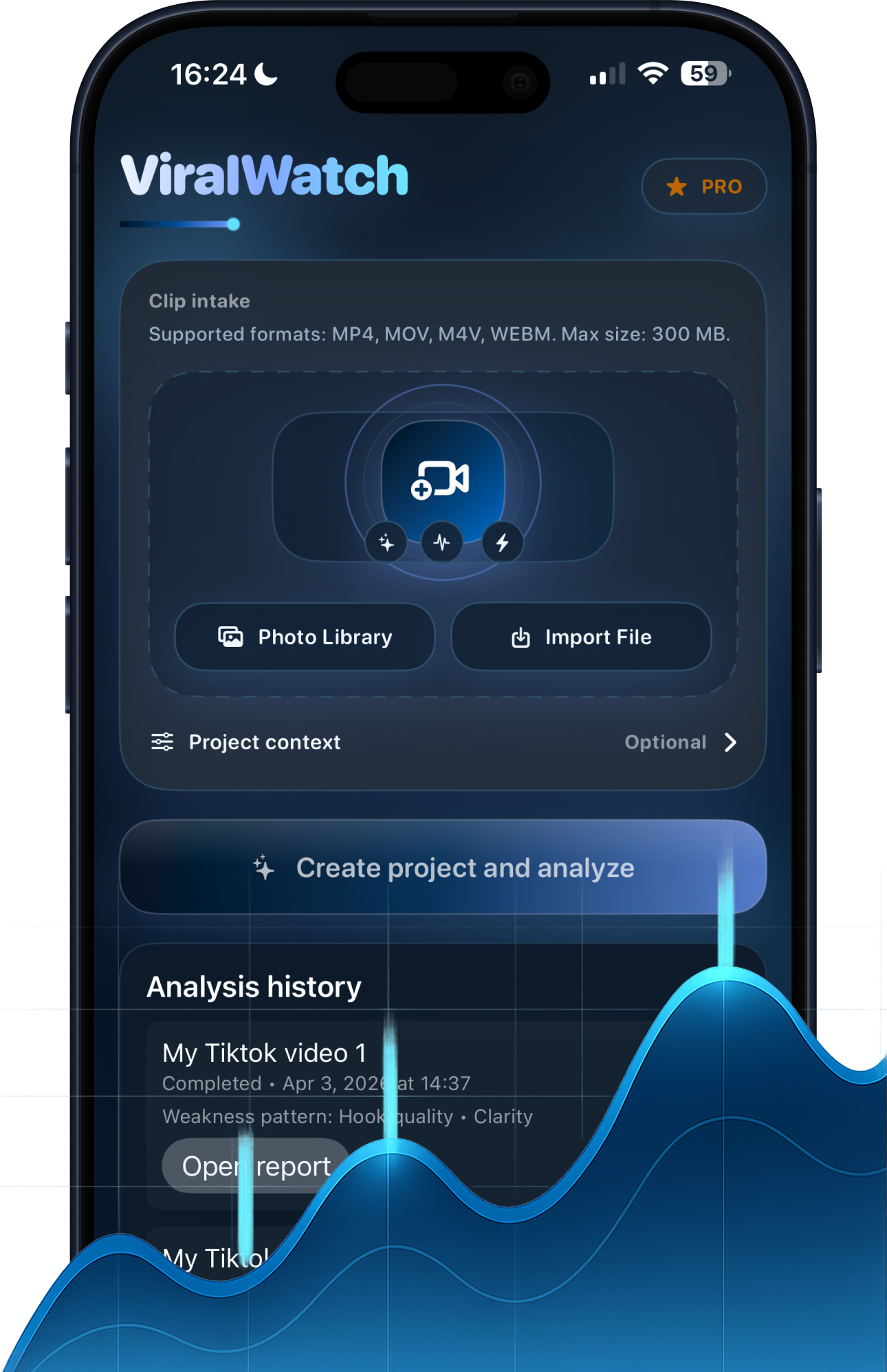
Upload a TikTok, Reel, or Short draft and give ViralWatch a clean file to evaluate before you commit to a post.
Analyze TikTok videos, Instagram Reels, and YouTube Shorts with AI before or after posting. Get clear retention insights, viral signals, and practical edits that improve your next result.
Built for creators who search for a TikTok analyzer, Reels hook checker, or YouTube Shorts retention review tool and want a real publish-or-rework answer.
What ViralWatch Analyzes
ViralWatch helps creators decide publish-or-rework with score-backed analysis for hook strength, retention risk, and replay potential, plus concrete edits to test next.
Step 1
Upload a TikTok, Reel, or Short draft and give ViralWatch a clean file to evaluate before you commit to a post.
Step 2
Review hook strength, retention risk, replay potential, and the exact moment short-form momentum starts to slip.
Step 3
Apply edit suggestions, rewrite the opening seconds, and ship the next version with a more defensible viral score.
The score is the headline. The explanation is where decisions are made.
Analyze TikTok, Reels, and Shorts with creator-focused performance signals.
Get a simple AI score based on hook quality, pacing, clarity, and replay potential.
See whether the first seconds are strong enough to stop the scroll.
Find dead moments, weak transitions, and scenes that should be shortened or reordered.
Turn one analyzed clip into follow-up content angles, hooks, and caption directions.
Your videos and analytics stay protected with privacy-first defaults.
Inside ViralWatch
ViralWatch is positioned as an AI short-form video analyzer, so the homepage now shows the actual upload flow and the scorecard creators expect when they search for TikTok analytics, hook review, or Reels retention feedback.
Creator Hub
Read workflows, editing guides, and analysis habits for repeatable short-form improvement.
Video Analysis Blog
Explore SEO-ready articles around hook strategy, retention patterns, and creator testing systems.
Support and Billing Help
Find upload requirements, privacy details, and troubleshooting guidance before launch day problems slow you down.
Review a clean intake flow, start analysis in one tap, and keep draft history visible when a TikTok, Reel, or Short needs another pass.
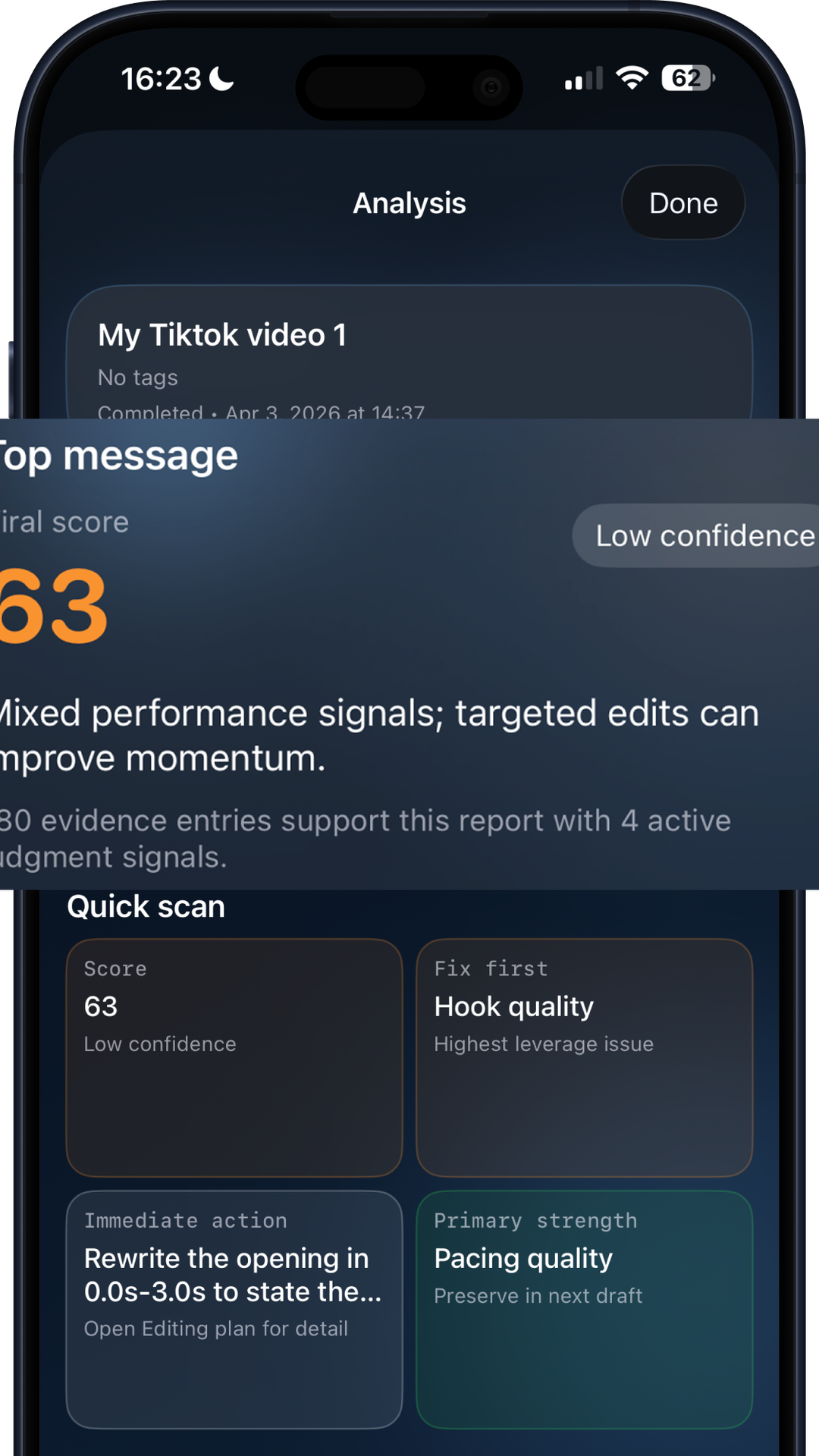
See hook strength, replay signals, and concrete guidance that helps you decide whether the cut is ready to publish or needs another pass.
Product Description
Use ViralWatch before publish to catch weak hooks, retention drop points, and replay blockers while edit costs are still low across TikTok, Reels, and Shorts workflows.
This homepage now supports search intent around AI video analysis for TikTok, Instagram Reels, and YouTube Shorts with clearer product visuals, stronger descriptive copy, and direct paths into support, pricing, and creator education pages.
| Specification | Value | Unit | Coverage |
|---|---|---|---|
| Supported short-form platforms | 3 | platforms | TikTok, Instagram Reels, YouTube Shorts |
| Accepted upload containers | 4 | formats | MP4, MOV, M4V, WEBM |
| Core diagnostic modules | 3 | modules | Hook strength, retention risk, replay potential |
| Available paid plan options | 2 | plans | Monthly, yearly |
Report Preview
Every analysis returns a clear score and actionable notes. You can review drafts before posting or diagnose weak live videos.
That makes ViralWatch useful for creators searching terms like video hook analyzer, short-form retention checker, or AI viral score app rather than a generic social media dashboard.
Viral Odds
82
Hook
8.6
Retention
6.9
Replay
7.8
Paywall Cues
The free layer gives a direction fast. Premium plans unlock the full report and deeper iteration workflow.
Social Proof
ViralWatch is used by creators, editors, and manager teams that need faster decision loops.
4.8
Average App Store rating
1.2K
Creator reviews
3
Major short-form platforms supported
"It helps our team decide which draft to publish and which one to re-edit before posting."
Ava R.
Creator Manager
App Store review • Verified subscription usage • Mar 11, 2026
"ViralWatch gives me faster feedback than manually reviewing every cut with the client."
Jordan K.
Short-Form Editor
App Store review • Verified report export • Mar 10, 2026
"The hook analysis made it obvious why my video lost momentum in the first three seconds."
Mia T.
UGC Creator
App Store review • Verified analysis run • Mar 8, 2026
Moderation status: 3 approved, 1 pending, 1 rejected.
Ratings snapshot last synced on 2026-03-12.
Why Pay
Start with quick signal checks, then unlock full analysis depth when your publishing cadence requires it.
Free Layer
Fast score + directional feedback
Perfect for quick triage before committing edit time.
Premium Layer
Detailed report with deeper insight
Designed for creators and teams shipping content weekly.
Billing
App Store native subscriptions
Cancel anytime from Apple ID settings.
Price Transparency
Secure App Store checkout opens in a new tab.
Review Privacy Policy , Terms of Use , Support before purchase.
Equivalent $4.16/mo
Secure App Store checkout opens in a new tab.
Review Privacy Policy , Terms of Use , Support before purchase.
Everything you need to know about ViralWatch.
ViralWatch is designed for TikTok, Instagram Reels, and YouTube Shorts workflows.
No tool can promise exact future views. ViralWatch estimates performance potential and highlights the strongest improvement opportunities.
Yes, draft analysis is one of the main use cases so you can improve videos before publishing.
No. ViralWatch is useful for new creators, agencies, and teams testing short-form content.
Yes. Subscriptions can be managed and canceled from Apple ID settings.
Final CTA
ViralWatch gives you clear feedback before you post and deeper guidance when every edit matters.
Social Sharing
Share this canonical page URL with creators, collaborators, or your audience.